Graphic Art Dodol Theme4.2
Publisher Description
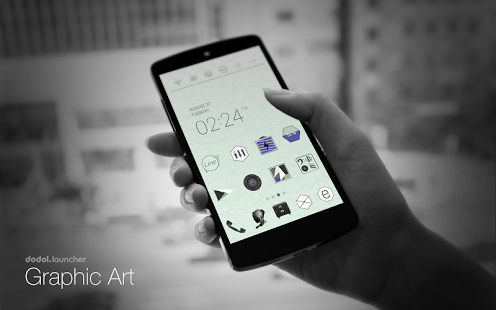
※ The theme can apply properly after updating dodol launcher 5/9 ver. ♥
Theme that emphasizes the chicness within with simple and unique graphics.
* Apply the theme to transform your background screen, icon and launcher widget! :D
* How to apply a theme
- Install Dodol Launcher (if you haven't yet).
- Press the home button and set the Dodol Launcher as the default home launcher by selecting [Use as default value for this task] or [Always].
- Open the launcher menu by swiping the home screen upwards, select the [Theme] menu, then select and apply the theme of your choice.
** Precaution
- Is available only in Android ver. 4.0.2 and above (ICS, Jellybean)
- Some functions cannot be applied in certain devices.
* Customer Support
http://m.help.naver.com/serviceMain.nhn?falias=mo_launcher_app&type=faq
http://dodolhome,blog.me
* Why Dodol Launcher is so special
- Cute, simple, vibrant, sophisticated, cuddly and warm themes are continuously updated
- The default widget offers convenient functions, including quick switch and memory cleaner
- Apps/widget can be used easily with the dock and alert shortcut list
- Offers functions that can be used to decorate fonts/ringtones/keyboards
- Offers detailed functions for screen rotation/individual icons/folders etc...
- Supports functions in a convenient and stable manner by copying the home screen and creating backups of settings
About Graphic Art Dodol Theme
The company that develops Graphic Art Dodol Theme is Camp Mobile for dodol theme. The latest version released by its developer is 4.2. This app was rated by 1 users of our site and has an average rating of 5.0.
To install Graphic Art Dodol Theme on your Android device, just click the green Continue To App button above to start the installation process. The app is listed on our website since 2013-10-23 and was downloaded 12 times. We have already checked if the download link is safe, however for your own protection we recommend that you scan the downloaded app with your antivirus. Your antivirus may detect the Graphic Art Dodol Theme as malware as malware if the download link to com.campmobile.launcher.theme.Graphic_Art is broken.
How to install Graphic Art Dodol Theme on your Android device:
- Click on the Continue To App button on our website. This will redirect you to Google Play.
- Once the Graphic Art Dodol Theme is shown in the Google Play listing of your Android device, you can start its download and installation. Tap on the Install button located below the search bar and to the right of the app icon.
- A pop-up window with the permissions required by Graphic Art Dodol Theme will be shown. Click on Accept to continue the process.
- Graphic Art Dodol Theme will be downloaded onto your device, displaying a progress. Once the download completes, the installation will start and you'll get a notification after the installation is finished.
Program Details
System requirements
Download information
Pricing
Version History
version 4.2
posted on 2013-10-23
** Add 10 more icons! :)
version 1.1
posted on 2013-06-27
Several fixes and updates
